|
Configure NTP Client : Fedora
2015/11/03 |
| [1] | It's the time synchronization way on Fedora Client. |
|
[root@dlp ~]# ntpdate ntp1.jst.mfeed.ad.jp 4 Nov 22:57:06 ntpdate[2603]: adjust time server 210.173.160.27 offset 0.000271 sec |
|
Configure NTP Client : Windows
|
|
It's the time synchronization way on Windows Client. This example shows on Windows 10.
|
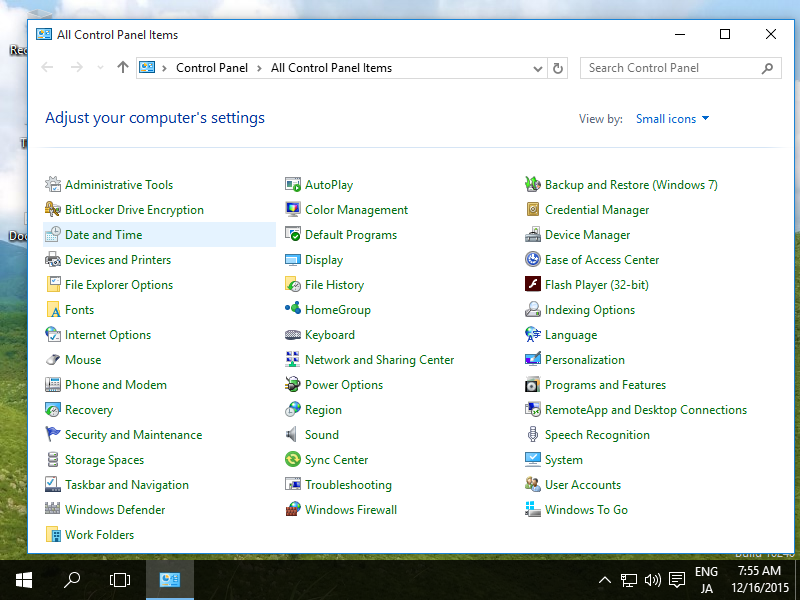
| [2] | Open "Date and Time" fron Control panel. |
|
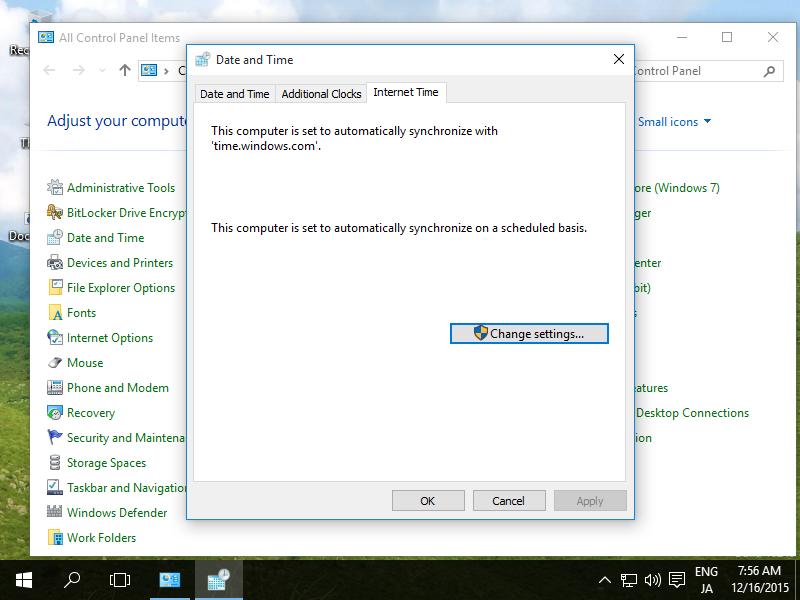
| [3] | Move to "Internet Time" tab and click "Change settings" button. |
|
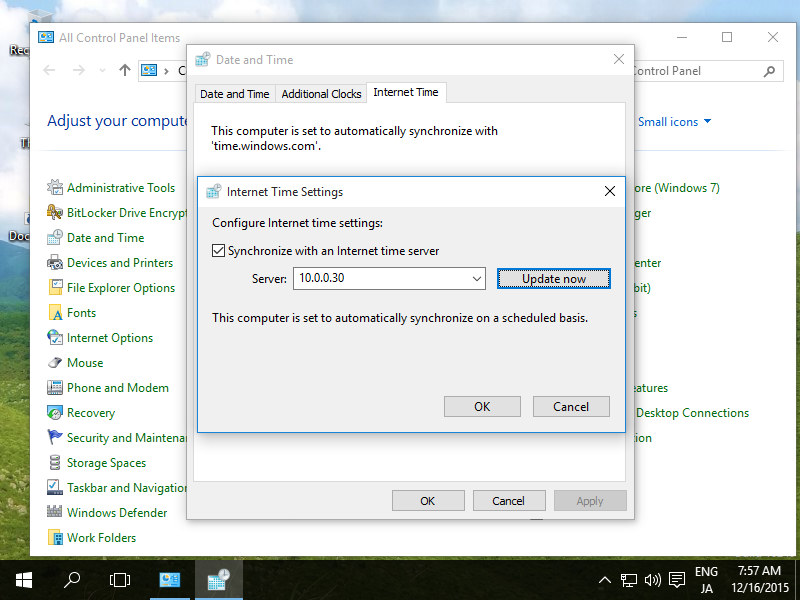
| [4] | Input your NTP server's hostname or IP address and click "Update now" button. |
|
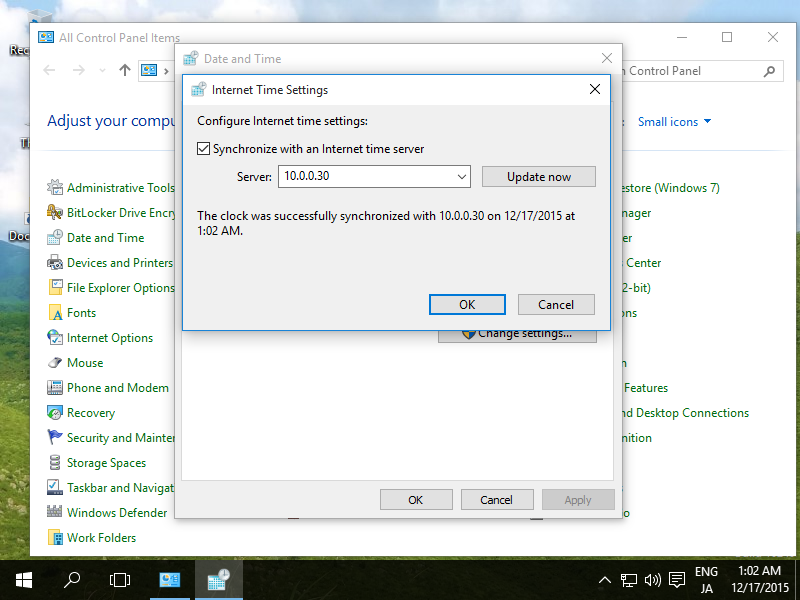
| [5] | If it's OK all, the message that the time synchronization finished normally is displayed. |
|